
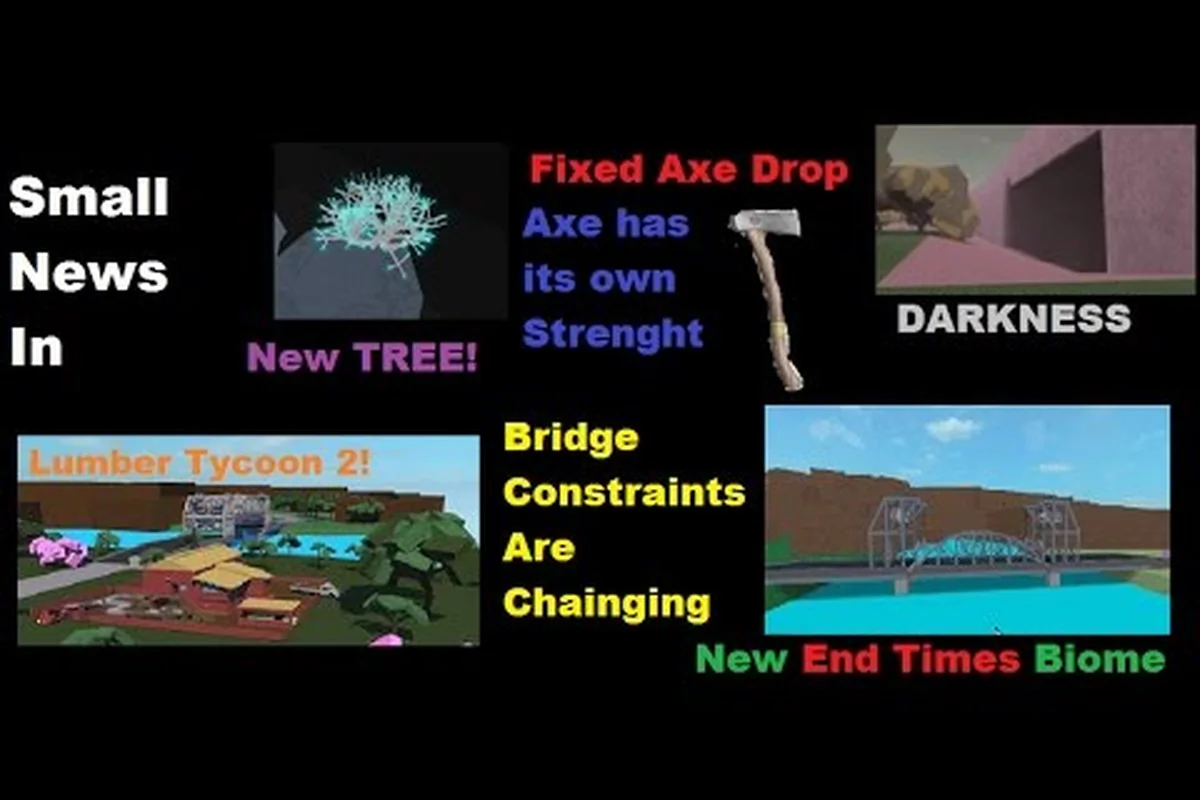
The latest lumber tycoon 2 news confirms a major milestone: the game is celebrating 11 years of continuous operation, and the development team has shipped a substantial logic-system expansion at Link's Logic. Players checking in this week will find 17 new advanced logic components alongside a limited-time Roblox event that runs through late September. Understanding these changes matters because the new components unlock automation possibilities that previously required complex workarounds, while the event window creates a narrow opportunity for exclusive rewards.
Anniversary Update Brings 17 Advanced Logic Components
The 11th anniversary update centers on a significant expansion to Link's Logic, the in-game store that supplies wiring and automation parts. According to community data from the Lumber Tycoon 2 Wiki news page, exactly 17 new "advanced" logic components have been added to the store's inventory. This is the largest single logic-system update in recent memory, and it directly addresses a long-standing request from builders who wanted more granular control over automated sawmills, conveyor routing, and timed gate systems.
The new components arrive at a moment when the game's building community has grown increasingly sophisticated. Players who have spent years mastering the existing wire, switch, and timer mechanics now have a fresh set of tools to experiment with. While the wiki announcement does not enumerate every component name, the framing as "advanced" suggests these parts are intended for experienced builders rather than newcomers still learning basic plot management. If you are just starting out, the beginner guide covers foundational mechanics before you tackle logic circuits.
| Component Category | Typical Use Case | Skill Level |
|---|---|---|
| Basic switches and wires | Manual gate control, simple sawmill toggles | Beginner |
| Timers and delay gates | Automated harvest cycles, staggered conveyor starts | Intermediate |
| Advanced logic components (new) | Conditional routing, multi-input automation, state memory | Advanced |
| Blueprint rotation glitch tools | Vehicle recovery, boulder bypass without dynamite | Intermediate |
| Axe flinging movement tech | Speed boosts for traversal and wood retrieval | Advanced |
The table above places the new logic components in context with existing systems. The advanced logic components are not a replacement for basic wiring but rather an extension that enables conditional behavior. For example, a builder could previously set a timer to activate a conveyor, but conditional logic allows that conveyor to activate only when a specific sensor state is true. This kind of branching behavior was technically possible before through elaborate workarounds, but the new parts make it accessible without fragile contraptions.
The Hunt: Roblox 20 Event Window and Rewards
Alongside the anniversary update, the game is participating in The Hunt: Roblox 20 event, which began September 17th and runs through September 28th. This cross-game Roblox event gives Lumber Tycoon 2 players a limited window to earn event-specific rewards by completing designated tasks. The event structure follows the familiar pattern of previous Hunt events, where players track objectives across multiple Roblox experiences and collect badges or items tied to each participating game.
Because the event window is only 11 days long, players who want the rewards need to prioritize their time. The first step is confirming which Lumber Tycoon 2 objectives are active, then planning a route that minimizes travel between the Main Biome and outlying areas like the Taiga or Tropics. Players who already own efficient vehicles will have a clear advantage, since event objectives often require visiting multiple map regions quickly. If you are still working on vehicle acquisition, the car guide explains how to secure reliable transportation early.
| Event Phase | Date Range | Priority Action |
|---|---|---|
| Pre-event preparation | Before September 17 | Stockpile wood, verify vehicle condition, clear plot space |
| Event launch | September 17–20 | Complete initial objectives, map reward locations |
| Mid-event grind | September 21–25 | Farm repeatable tasks, trade with other players |
| Final push | September 26–28 | Finish remaining objectives, claim all rewards |
The event timing overlaps with the logic component release, which creates an interesting dynamic. Players who want to experiment with the new automation parts may find themselves torn between building projects and event grinding. A practical approach is to handle event objectives first, since they are time-gated, then return to logic experimentation after September 28th. The new components are permanent additions to Link's Logic, so there is no rush to master them during the event window.
Lumber Tycoon 2 Glitches and Bugs: What Still Works
The community has long maintained an informal catalog of lumber tycoon 2 glitches that persist across updates. Two of the most widely documented are Blueprint Rotation and Axe Flinging, both of which appear in the wiki's tutorial section. Blueprint Rotation allows players to rotate loose items using blueprints, which is commonly used to flip vehicles back upright or to remove boulders blocking the Taiga entrance without spending dynamite. Axe Flinging grants a burst of speed when chopping wood, with the Bluesteel Axe providing the most velocity and the Amber Axe offering better control.
These glitches occupy a gray area in the game's culture. The developer has historically tolerated them because they do not duplicate items or corrupt saves, and many players consider them essential quality-of-life tools rather than exploits. However, the status of any glitch can change with a patch, so players who rely on Blueprint Rotation for boulder removal should have a backup plan that includes dynamite or alternative routes. The how to start guide includes legitimate progression paths that do not depend on glitch usage.
| Glitch Name | Primary Use | Risk Level | Community Status |
|---|---|---|---|
| Blueprint Rotation | Flip vehicles, remove boulders, retrieve stuck items | Low | Widely accepted, tutorial-documented |
| Axe Flinging | Speed boost for traversal and wood gathering | Low | Accepted as movement tech |
| Save-related bugs | Data loss, plot reset issues | High | Reported but not consistently reproducible |
| Logic component bugs | Wiring failures, state desync | Medium | Under investigation after new update |
The distinction between a glitch and a bug matters for player expectations. Glitches like Blueprint Rotation are predictable and player-initiated, while bugs are unintended failures that disrupt normal play. The new logic components may introduce fresh bugs as players stress-test the system, and community reports suggest that some wiring configurations behave inconsistently when multiple advanced components interact. Players encountering these issues should document their setups carefully, since reproducible reports help the developer isolate problems faster.
Developer Roadmap and Defaultio's Update Cadence
The lumber tycoon 2 developer, known as Defaultio, maintains an irregular update schedule that has defined the game's lifecycle since its 2015 release. Rather than committing to a public roadmap with fixed dates, Defaultio tends to ship content in thematic bursts tied to anniversaries, holidays, or Roblox platform events. The 11th anniversary update follows this pattern, delivering a substantial feature drop without prior announcement of a detailed multi-month plan.
This approach frustrates players who want predictable content, but it also preserves the game's identity as a passion project rather than a live-service treadmill. Community data suggests that major updates typically arrive once or twice per year, with smaller bug-fix patches scattered between them. The absence of a formal lumber tycoon 2 roadmap means players should treat community speculation with skepticism and rely on the official wiki news page for confirmed information.
| Update Type | Typical Frequency | Example Content |
|---|---|---|
| Anniversary updates | Annual | Logic components, new wood types, store expansions |
| Holiday events | Seasonal | Halloween puzzles, Christmas trees, limited items |
| Roblox platform events | Occasional | The Hunt participation, cross-game badges |
| Bug-fix patches | Irregular | Save fixes, exploit patches, stability improvements |
| Community-driven content | Ongoing | Wiki tutorials, player-built contraptions, trading hubs |
The relationship between Defaultio and the community has evolved over 11 years. Early in the game's life, players expected frequent updates and expressed frustration during quiet periods. Today, the community has largely accepted the slow cadence and focuses on building, trading, and documenting mechanics. The wiki's milestone of 450 pages reflects this shift toward player-generated knowledge, with tutorials covering everything from basic wood harvesting to advanced glitch techniques.
Logic Component Deep Dive: What Advanced Means in Practice
The term "advanced" in the context of Link's Logic deserves closer examination. Existing logic components in Lumber Tycoon 2 include basic wires, switches, buttons, and timers that allow players to control doors, conveyors, and sawmills. The new advanced components likely introduce concepts like state memory, conditional gates, and multi-input combinators, which would let builders create systems that respond differently based on multiple conditions rather than simple on/off toggles.
Understanding Logic States and Conditional Routing
A basic switch has two states: on and off. An advanced logic component might introduce a third state or allow a single input to trigger different outputs depending on other conditions. For example, a builder could create a sorting system that routes different wood types to different conveyors based on a sensor reading. This kind of automation was previously possible only through elaborate manual switching or by exploiting quirks in the existing timer system.
Practical Applications for Sawmill Automation
The most immediate application for advanced logic is sawmill automation. A player with multiple sawmills could use conditional logic to route logs to the correct machine based on wood type, eliminating the need to manually reposition conveyors between harvests. This saves time during large-scale wood processing and reduces the risk of logs jamming in the wrong machine. Builders who process Gold Wood or Frost Wood in bulk will see the greatest benefit, since these high-value woods are often harvested in dedicated sessions.
| Automation Goal | Required Components | Complexity |
|---|---|---|
| Single sawmill on/off toggle | Basic switch, wire | Low |
| Timed sawmill activation | Timer, wire, switch | Medium |
| Multi-sawmill routing by wood type | Advanced logic, sensors, multiple conveyors | High |
| Conditional gate with memory state | Advanced logic, multiple inputs, state storage | Very High |
| Full automated harvest-to-sale pipeline | All component types, careful layout planning | Expert |
The learning curve for advanced logic is steep, but the payoff is substantial for dedicated builders. Players who invest time in understanding the new components will be able to construct systems that were previously impossible or required fragile glitch-based workarounds. The community wiki will likely expand its tutorial section as players document successful configurations, so checking back regularly is worthwhile for anyone serious about automation.
Community Response and Wiki Milestones
The Lumber Tycoon 2 community wiki reached its own 11-year milestone on August 31st, 2026, and has grown to 450 pages of documentation. This parallel anniversary highlights how much of the game's longevity depends on player-generated knowledge. The wiki's news page serves as the de facto official announcement channel for many players, since Defaultio does not maintain a separate development blog or detailed patch notes site.
The wiki's growth from a small fan project to a 450-page resource reflects the depth of mechanics that players have discovered and documented over the years. Tutorials cover everything from basic wood harvesting to advanced glitch techniques like Blueprint Rotation and Axe Flinging. The addition of 17 new logic components will likely generate another wave of tutorial content as builders experiment and share their findings.
| Wiki Milestone | Date | Significance |
|---|---|---|
| Wiki founding | August 31, 2015 | Community documentation begins |
| 450 pages reached | 2026 | Comprehensive mechanics coverage |
| Logic component tutorials | Post-update | New automation documentation expected |
| Glitch tutorial section | Ongoing | Blueprint Rotation, Axe Flinging documented |
| Discord server | Active | Real-time community discussion and support |
The community's role in documenting glitches is particularly notable. Rather than hiding exploits, the wiki openly documents techniques like Blueprint Rotation and Axe Flinging as legitimate tools. This transparency reflects a community consensus that these glitches enhance the game rather than undermine it, and it provides a useful reference for players who want to learn the techniques without relying on word-of-mouth.
Frequently Asked Questions
What is the latest lumber tycoon 2 news about the 11th anniversary?
The 11th anniversary update added 17 new advanced logic components to Link's Logic, expanding automation options for builders. The update also coincides with The Hunt: Roblox 20 event, which runs from September 17th through September 28th. These additions represent the largest logic-system expansion in recent memory.
Are lumber tycoon 2 glitches like Blueprint Rotation still working?
Yes, Blueprint Rotation and Axe Flinging remain functional as of September 2026, according to community documentation. Blueprint Rotation is commonly used to flip vehicles and remove Taiga boulders without dynamite. Axe Flinging provides speed boosts, with the Bluesteel Axe offering maximum velocity and the Amber Axe providing better control.
Will the new logic components introduce lumber tycoon 2 bugs?
Possibly. Community reports suggest some wiring configurations behave inconsistently when multiple advanced components interact. Players should document their setups carefully when encountering issues, since reproducible reports help Defaultio isolate and fix problems faster. The developer has historically patched significant bugs in follow-up updates.
Does Defaultio publish a lumber tycoon 2 roadmap?
No, Defaultio does not maintain a public roadmap with fixed dates. Updates arrive in thematic bursts tied to anniversaries, holidays, or Roblox platform events. Major content drops typically occur once or twice per year, with smaller bug-fix patches interspersed between them. Players should rely on the official wiki news page for confirmed information.
How long do I have to complete The Hunt: Roblox 20 event in Lumber Tycoon 2?
The event runs from September 17th through September 28th, giving players an 11-day window. Prioritize event objectives first since they are time-gated, then return to logic experimentation after the event ends. The new logic components are permanent additions, so there is no rush to master them during the event window.